Version: 3.0
What is OLED Studio?
Changes:
Structure modernized
Modules unified
Logic encapsulated
Rendering separated
Manager layer introduced
Architecture streamlined
Interaction simplified
Performance improved
by DTech
The OLED Studio is a web‑based LED matrix tool that combines several functions:
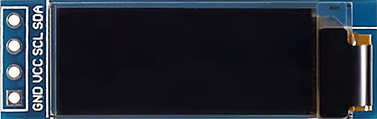
– powerful pixel editorOptimized for creating bitmaps and icons for 128×32 OLED displays (SSD1306)
– flexible import and template system
Direct conversion into code arrays for Arduino, ESP32 and other microcontrollers
– five languages, error system and a variety of tools for fast processing
…embedded in a modular, future‑proof architecture.
The “program” was created out of the need to make working with microcontrollers easier for oneself and others.
A quick preview or automated conversion saves a great deal of time and avoids unnecessary frustration.
In addition, the OLED Studio — implemented in HTML and JavaScript — serves as a work sample
to demonstrate technical expertise. This is not sequential hobby coding, but the result of a professional,
modular and future‑proof software architecture.
Highlights & Features
Editor Features:
Pixel-to-Hex generates compact C arrays (e.g. 0xFF). Pixel-to-Binary creates clear bit representations (e.g. 0b10101010). Pixel-to-ASCII produces ASCII views with configurable characters.
Supports multiple grid sizes like 8×8, 16×16, 32×32, 8×16, and 16×8.
Mini preview (1:1) for quick icon inspection. Toggle entire rows or columns with a single click. Text Stamp Your text input becomes a freely placeable icon. Template and stamp system for reusable patterns. Precise editing via a unified internal data structure.
Main Grid Functions:
Preview for 8×8, 16×16 and 32×32 layouts. Direct switching between different grid views. Clear visualization of the active pixel matrix. Support for vertical and horizontal structuring. Use the arrow keys to quickly move the content.
Workshop Tools:
Mirror horizontally and vertically. Rotate in 90° steps. Scale patterns (Workshop only). Invert entire patterns. Pixel-precise movement of icons and elements.
Combine and reposition stamps. Flexible editing of single or grouped elements.
Import/Export System:
Import for hex and binary codes. Accurate handling of SSD1306 bitmaps including vertical paging. Automatic width and height detection. Byte-to-matrix conversion for all supported formats. Export to hex arrays, binary patterns, and internal structures.
Architecture & System Logic:
Clear separation of logic, rendering, and management layers. Modular structure for long-term scalability. Rule-based format detection and parsing pipeline. Robust error handling for stable processing. Unified data handling across all modules.
Interaction & Workflow:
Intuitive editor with direct visual feedback. Full offline capability via locally integrated assets. Automatic language selection for 4 core languages German, English, French, and Spanish without external dependencies. Consistent interaction logic through unified UI elements. Clear panel structure for Editor, Workshop, and Import. A hidden theme selector (Ctrl+K).
Pixel-to-Hex generates compact C arrays (e.g. 0xFF). Pixel-to-Binary creates clear bit representations (e.g. 0b10101010). Pixel-to-ASCII produces ASCII views with configurable characters.
Supports multiple grid sizes like 8×8, 16×16, 32×32, 8×16, and 16×8.
Mini preview (1:1) for quick icon inspection. Toggle entire rows or columns with a single click. Text Stamp Your text input becomes a freely placeable icon. Template and stamp system for reusable patterns. Precise editing via a unified internal data structure.
Main Grid Functions:
Preview for 8×8, 16×16 and 32×32 layouts. Direct switching between different grid views. Clear visualization of the active pixel matrix. Support for vertical and horizontal structuring. Use the arrow keys to quickly move the content.
Workshop Tools:
Mirror horizontally and vertically. Rotate in 90° steps. Scale patterns (Workshop only). Invert entire patterns. Pixel-precise movement of icons and elements.
Combine and reposition stamps. Flexible editing of single or grouped elements.
Import/Export System:
Import for hex and binary codes. Accurate handling of SSD1306 bitmaps including vertical paging. Automatic width and height detection. Byte-to-matrix conversion for all supported formats. Export to hex arrays, binary patterns, and internal structures.
Architecture & System Logic:
Clear separation of logic, rendering, and management layers. Modular structure for long-term scalability. Rule-based format detection and parsing pipeline. Robust error handling for stable processing. Unified data handling across all modules.
Interaction & Workflow:
Intuitive editor with direct visual feedback. Full offline capability via locally integrated assets. Automatic language selection for 4 core languages German, English, French, and Spanish without external dependencies. Consistent interaction logic through unified UI elements. Clear panel structure for Editor, Workshop, and Import. A hidden theme selector (Ctrl+K).
Projektstruktur
    /src
        main.js
        /core
            App.js
            DomMap.js
            ErrorSystem.js
            InfoSystem.js
            LangSystem.js
            MasterBindings.js
            MasterUtils.js
        /modules
            /export
                Export.logic.js
                Export.renderer.js
                Export.manager.js
            /import
                Import.logic.js
                Import.renderer.js
                Import.manager.js
            /mainGrid
                MainGrid.logic.js
                MainGrid.renderer.js
                MainGrid.manager.js
            /stamp
                font.data.js
                Stamp.logic.js
                Stamp.renderer.js
                Stamp.manager.js
            /templates
                Templates.logic.js
                Templates.renderer.js
                Templates.manager.js
                templates.data.js
            /workshop
                Workshop.logic.js
                Workshop.renderer.js
                Workshop.manager.js
        /ui
            fontawesome/
            pics/
                BG_Display.jpg
                favicon.ico
                favicon.svg
            ClassMap.js
            style.css
            UiOutput.js
            UiPanelManager.js